
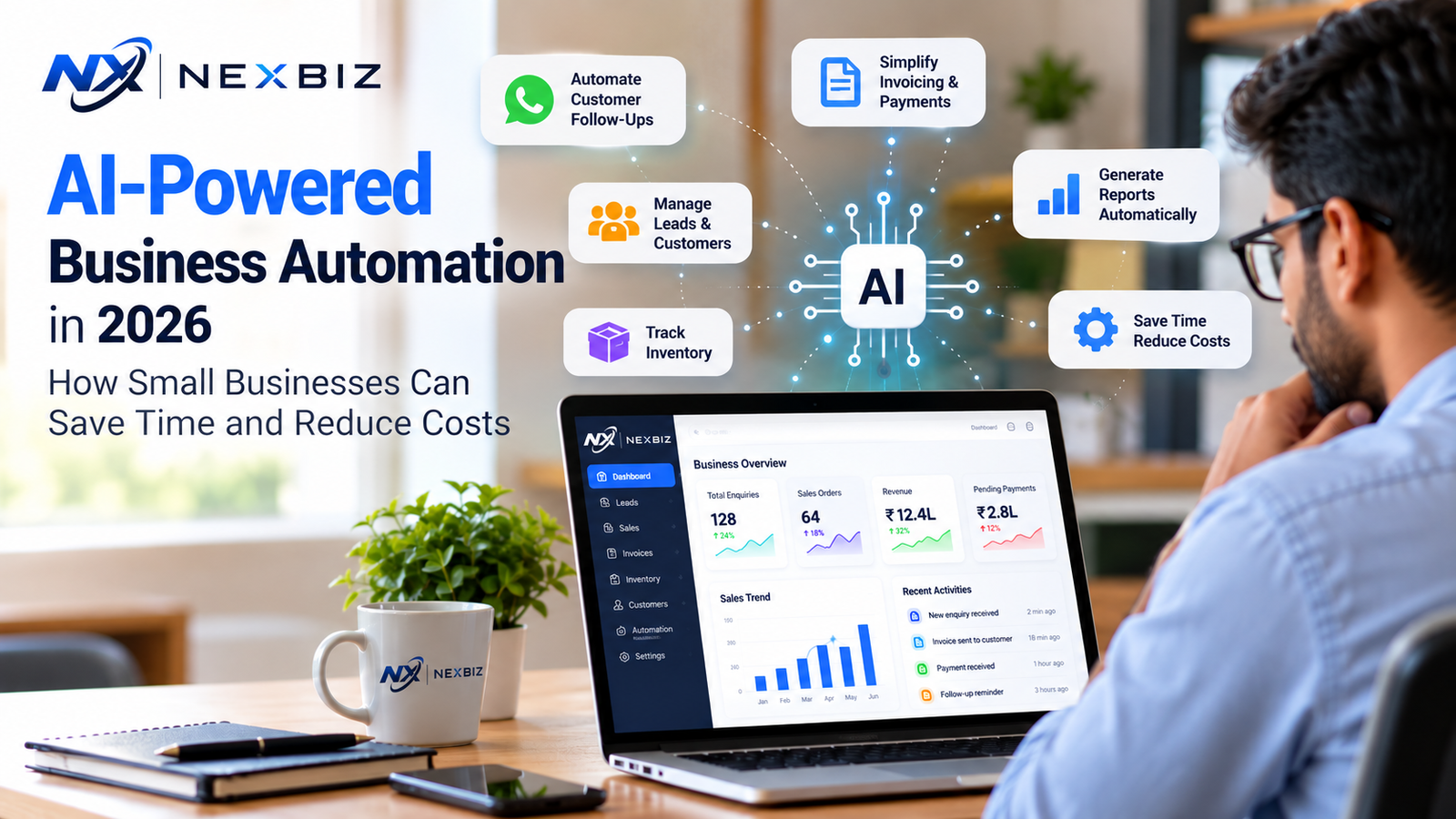
AI-Powered Business Automation in 2026: How Small Businesses Can Save Time and Reduce Costs
Discover how AI-powered business automation helps small businesses save time, reduce manual work, streamline daily operations, and improve productivity. Explore practical automation solutions for customer follow-ups, invoicing, inventory management, reporting, and business workflows in 2026.
· Nexbiz
Introduction: Is Your Business Spending Too Much Time on Manual Work?
Running a small business involves much more than selling products or serving customers. Business owners and their teams spend hours managing enquiries, following up with customers, preparing invoices, updating spreadsheets, tracking payments, and generating reports.
These repetitive activities consume valuable time that could be spent on sales, customer relationships, and business growth.
This is where AI-powered business automation can make a difference.
In 2026, businesses can combine traditional workflow automation with artificial intelligence (AI) to reduce repetitive work, organize information, improve decision-making, and make everyday operations more efficient.
The good news? You do not need to be a large enterprise to benefit from automation. Small and medium-sized businesses in India can start with simple, affordable improvements and expand as their needs grow.
In this guide, we will explore how business automation works, which processes you should automate first, and how to choose the right software for your business.
What Is AI-Powered Business Automation?
AI-powered business automation combines software workflows and artificial intelligence to perform repetitive tasks, process information, and assist employees with routine business activities.
Traditional automation follows predefined rules. For example, software can send a payment reminder three days before an invoice becomes overdue.
AI can go further by helping categorize customer messages, summarize long conversations, extract information from documents, or draft personalized responses for human review.
When these capabilities are combined, businesses can reduce manual effort and create smoother workflows.
Traditional Automation vs. AI-Powered Automation
Traditional automation
- Follows predefined rules.
- Sends scheduled reminders.
- Generates fixed-format reports.
- Works best with predictable processes.
AI-powered automation
- Can interpret certain types of unstructured information.
- Can help draft context-aware reminders.
- Can summarize reports and highlight patterns.
- Can assist with text-heavy or variable tasks.
Both approaches are valuable. In fact, many businesses should begin with straightforward rule-based automation before introducing AI.
AI is not necessary for every task, and it should not replace human approval where accuracy, financial decisions, privacy, or compliance are important.
7 Ways AI-Powered Business Automation Can Help Small Businesses
1. Automate Customer Enquiries and Follow-Ups
Missing a customer enquiry can mean losing a potential sale.
Many businesses receive leads through websites, social media, advertising campaigns, telephone calls, and messaging platforms. When these enquiries are managed manually, follow-ups can be delayed or forgotten.
Business automation software can help capture enquiries in a centralized system, assign them to the appropriate employee, schedule follow-ups, and send reminders.
AI can also assist with classifying incoming enquiries by topic or drafting initial responses for staff to review.
Example: A real estate company receives 50 enquiries in a day. Instead of relying on individual employees to remember every follow-up, a lead management system can organize the enquiries, assign ownership, and track the next action.
The result is a more organized sales process and fewer missed opportunities.
Explore Nexbiz business software and products to see the types of business workflows that can be managed through dedicated software.
2. Simplify Invoicing, Billing, and Payment Reminders
Preparing invoices, tracking outstanding payments, and following up with customers can become difficult as a business grows.
Automation can help generate invoices from approved transactions, maintain payment records, schedule reminders, and prepare receivables reports.
AI-assisted tools may also help extract information from documents or summarize outstanding payment patterns. Financial entries and payment decisions should still be verified by authorized staff.
Example: A service business has dozens of outstanding invoices at the end of each month. Automated reminders can help the accounts team follow a consistent follow-up schedule rather than manually checking every invoice.
For Indian businesses, software that supports GST invoicing, payment tracking, and relevant accounting workflows can make these processes easier to manage.
The objective is not simply to send invoices faster. It is to improve visibility over cash flow and reduce avoidable administrative work.
3. Improve Inventory and Stock Management
Inventory errors can lead to excess stock, unexpected shortages, delayed orders, and unnecessary purchasing costs.
An inventory management system can track stock movements, maintain product records, and generate low-stock alerts based on predefined thresholds.
AI can potentially support demand forecasting when sufficient reliable historical data is available. However, forecasts should be treated as estimates rather than guarantees.
Example: A distributor notices that certain products regularly run out before the next replenishment cycle. Automated stock alerts can notify the purchasing team when inventory reaches a defined level.
The team can then review demand, supplier lead times, and current orders before making a purchase.
For manufacturers, integrated software can connect inventory with production, material consumption, and dispatch processes.
4. Automate Routine Reports and Business Updates
Business owners need accurate information to understand sales, expenses, outstanding payments, inventory, and employee productivity.
Unfortunately, compiling reports from multiple spreadsheets and systems can take hours.
Automation can collect available information from connected systems and generate scheduled reports by email or through a business dashboard.
AI tools can also help summarize reports in plain language, identify unusual changes for further investigation, or prepare questions for management review.
Example: Instead of asking employees to prepare a sales summary every Monday, a company can schedule a report showing sales, pending orders, collections, and overdue invoices.
Managers can spend less time collecting information and more time deciding what action to take.
5. Reduce Repetitive HR and Administrative Tasks
As a company expands, employee records, attendance, leave requests, onboarding documents, and payroll preparation can create additional administrative work.
Suitable HR software can centralize employee information, manage leave approvals, track attendance, and generate relevant reports.
Automation can send reminders for pending approvals or missing documents. AI can assist with drafting internal communications and summarizing policies, provided sensitive employee information is handled appropriately.
Example: An employee submits a leave request. The system routes it to the designated manager, records the decision, and updates the relevant leave balance according to the company's configured rules.
The process becomes easier to track without relying on repeated messages and manual spreadsheet updates.
6. Connect Different Business Tools
One of the biggest operational challenges for small businesses is disconnected software.
Sales information may be stored in one application, inventory in another, accounting records in a spreadsheet, and customer communication in messaging platforms.
When these systems do not communicate, employees often enter the same information multiple times.
Software integrations can synchronize relevant information between systems, trigger notifications, and reduce duplicate data entry.
For example, an approved order could update inventory and make the transaction available to the accounts team, depending on the systems and integration rules.
Nexbiz offers automation and integration services covering areas such as notifications, payment links, data synchronization, and scheduled reports.
Before implementing an integration, businesses should check data accuracy, access permissions, error handling, and how failed updates will be identified.
7. Improve Customer Support and Communication
Customers increasingly expect timely responses to questions about orders, bookings, payments, and services.
Automation can acknowledge enquiries, send booking confirmations, provide reminders, and share routine status updates through supported communication channels.
AI can assist in drafting replies or directing enquiries to the right department. Complex complaints, sensitive matters, and unusual requests should be escalated to a human employee.
Example: A clinic can use appointment reminders to inform patients about upcoming visits. A hotel can automate booking confirmations. A service company can notify customers when a job is scheduled or completed.
The specific workflow depends on the business, its software, and the communication channels it uses.
How Can Indian Small Businesses Start Automating Their Operations?
You do not need to automate every department at once. A phased approach is usually more practical.
Step 1: Identify Your Biggest Repetitive Tasks
List the activities your team performs every day or every week.
Look for processes that involve repeated data entry, frequent reminders, manual report preparation, delayed responses, or unnecessary handoffs between employees.
Start with a process that is repetitive, reasonably predictable, and easy to measure.
Step 2: Calculate the Time Spent on Manual Work
Estimate how many hours employees spend on the process each week.
For example, if a team spends five hours per week preparing a recurring report, that process may be worth investigating for automation.
Measure the actual time before and after implementation. Do not assume that all saved time automatically becomes a financial saving; the business must decide how to use that capacity productively.
Step 3: Choose the Right Business Automation Software
The right solution depends on your business requirements.
- Retailers and distributors: Consider billing, inventory, purchasing, and customer management.
- Manufacturers: Consider production planning, material tracking, stock management, and job costing.
- Real estate businesses: Consider lead capture, follow-ups, site visits, and sales pipelines.
- Service businesses: Consider enquiries, appointments, billing, notifications, and reporting.
- Growing teams: Consider HR, attendance, approvals, and employee records.
A ready-made product may be sufficient for common workflows. If your processes are unusual, customization or custom software development may be more appropriate.
You can review Nexbiz products and its software deployment and customization services to explore possible approaches.
Step 4: Start Small and Test the Workflow
Choose one process and run a pilot before expanding automation across the business.
Test common scenarios, incorrect data, duplicate entries, failed notifications, and approval requirements. Train the employees who will use the system and collect their feedback.
Keep a manual fallback available until the automated process has been tested reliably.
Step 5: Protect Business Data
Automation can involve customer details, employee records, financial information, and commercially sensitive documents.
Before introducing AI or connecting external tools, check:
- What information the software collects and stores.
- Who can access or export that information.
- Whether data is shared with third-party AI providers.
- How backups, security updates, and access permissions are managed.
- How long information is retained and how it can be deleted.
Avoid uploading confidential business or customer data to AI services without appropriate authorization and safeguards.
Step 6: Measure Results and Improve
Compare performance before and after implementation.
Useful measures include time spent per task, data-entry errors, response times, overdue invoices, missed follow-ups, and customer satisfaction.
If a workflow does not deliver the expected improvement, investigate the underlying process before adding more automation.
How Much Does Business Automation Cost?
There is no single price for business automation. Costs depend on the complexity of the process, the number of users, software licensing, integrations, hosting, training, and ongoing support.
Businesses generally have three options:
1. Ready-made software: Suitable when an existing product already covers most requirements. It can reduce the time and effort involved in building a new system.
2. Customized software: Suitable when an existing product is close to what you need but requires additional fields, reports, approvals, or integrations.
3. Custom-built software: Suitable when your workflows require a purpose-built application or several systems need to work together in a specific way.
Other expenses may include third-party messaging fees, payment gateway charges, hosting, and maintenance.
The most sensible approach is to compare the total implementation and operating costs with the measurable value the automation is expected to deliver.
Nexbiz provides ready-product deployment, customization, custom development, and hosted or self-hosted options. You can contact Nexbiz to discuss your requirements and request a suitable recommendation and quotation.
Why Choose a Practical, Phased Approach to Automation?
Successful automation is not about introducing the maximum number of tools. It is about selecting the right processes, implementing reliable workflows, and ensuring employees can use them effectively.
A practical approach helps businesses:
- Reduce unnecessary manual work.
- Improve consistency in routine processes.
- Make information easier to access.
- Track responsibilities and pending tasks.
- Connect relevant business operations.
- Scale workflows as the company grows.
The best starting point is often a straightforward workflow with a clear business benefit—not an expensive, complicated AI project.
Frequently Asked Questions
1. What is the best AI automation for a small business?
The best option depends on the business's biggest operational bottleneck. Customer follow-ups, invoice reminders, routine reporting, document processing, and appointment notifications are common areas to evaluate. Start with a process that is repetitive and easy to measure.
2. Can small businesses use automation without technical expertise?
Yes. Many ready-made business applications offer configurable workflows and user-friendly interfaces. More complex integrations may require technical support, setup, and employee training.
3. Does business automation require AI?
No. Many tasks can be automated using predefined rules, schedules, and integrations. AI is useful when a workflow benefits from capabilities such as text classification, summarization, or document extraction.
4. Is business automation expensive?
Costs vary by solution and complexity. A ready-made product or a small workflow improvement may be more economical than building an entirely new application. Compare implementation costs, recurring charges, maintenance, and measurable benefits before deciding.
5. How can Nexbiz help businesses automate their operations?
Nexbiz provides ready-to-deploy business software, product customization, custom software development, and automation and integration services. Depending on the requirement, a business can explore workflows involving notifications, payment links, data synchronization, and scheduled reporting.
Visit www.nexbiz.in to explore available solutions.
Conclusion: Make Automation Work for Your Business
AI-powered business automation offers small businesses an opportunity to reduce repetitive work, improve operational visibility, and use their employees' time more effectively.
However, success depends on choosing the right workflow, selecting suitable software, protecting business data, and measuring the results.
Start by identifying one task that consumes unnecessary time. Understand the existing process, evaluate the available solutions, and introduce automation in a controlled way. Once the first workflow delivers measurable value, expand to other areas of the business.
Ready to simplify your business operations?
Nexbiz helps businesses explore ready-made software, customized workflows, and purpose-built applications based on their requirements.
Visit www.nexbiz.in or contact Nexbiz to discuss how business software and automation could support your operations.
Nexbiz — Practical business software, built for how you actually work.
More articles
GST e-invoicing for small businesses: a plain-English checklist
What e-invoicing is, whether it applies to you, and how to get it working without a headache.
Read articleRunning business software on shared hosting: what actually works
Shared hosting is fine for most small-business applications. Here is how to set it up so it stays fast and safe.
Read articleReady software or custom build: how to decide
A practical way to choose between a ready-made product, a small customisation, and building something from scratch.
Read article